

Shopify
Connect your Shopify product catalogue so the assistant can answer questions about products, prices, availability, and stock. Customers can also be directed to the relevant product pages.
Bring your website, store, CRM, and business data into one AI assistant. Chatbiq connects with the systems you already use, so your AI assistant can answer customer questions using your real business information.
Connect your data. Keep it updated. Give customers better answers.
Explore IntegrationsChatbiq connects to your business data through a secure web address provided by your system. This can include products, prices, inventory, appointments, courses, properties, services, and other information your customers need.
Once connected, Chatbiq fetches your data and keeps a private copy for your AI assistant. Your information is refreshed automatically every week, and you can use Sync Now whenever you need to update it immediately.
Connect Your Business Data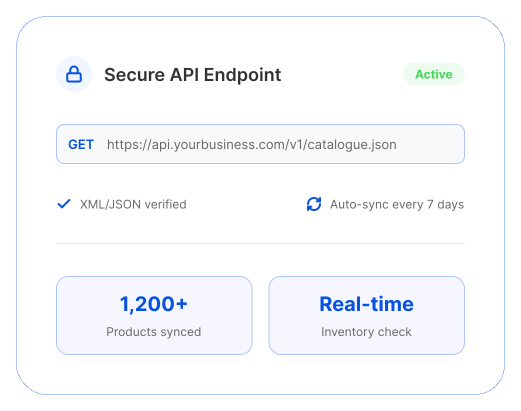
Add Chatbiq to the platforms you already use without building an integration from scratch. A simple one-line snippet can place your AI assistant on your website, while connected store data helps it answer questions with information from your actual catalogue.
Connect your Shopify product catalogue so the assistant can answer questions about products, prices, availability, and stock. Customers can also be directed to the relevant product pages.

Connect your WooCommerce catalogue and let your AI assistant use your product information to answer customer questions directly on your store.

Add Chatbiq to your WordPress website using a simple one-line snippet through your theme or a header and footer plugin.

Add the assistant through Wix Custom Code and make it available across your website without manually adding it to every page.

Use Squarespace Code Injection to add Chatbiq through your website footer and make the assistant available site-wide.

Need a completely custom setup? Use our secure developer API to connect arbitrary data warehouses, CRMs, or bespoke internal backends.
Everything you need to know about setting up and running your AI assistant.
Chatbiq can connect with Shopify, WooCommerce, WordPress, Wix, Squarespace, Google Tag Manager, CRMs, e-commerce platforms, custom websites, and other systems that can provide business data through a web address.
Chatbiq connects through a web address that provides your business data. It fetches the information, stores a private copy for your assistant, and refreshes the data automatically every week. You can also use Sync Now whenever you need an immediate update.
Yes. When your product data includes pricing and inventory information, Chatbiq can use that information to answer customer questions about products, prices, and availability.
Chatbiq can be installed using a simple one-line snippet. The exact installation method depends on your platform, such as Shopify, WooCommerce, WordPress, Wix, Squarespace, or Google Tag Manager.
Yes. If your business system can make its data available through a web address, it may be possible to connect it with Chatbiq. Systems requiring API keys, authentication, or specific data formats can be configured during onboarding.
Tell us what your business uses, and we'll help you find the right way to connect it with Chatbiq.
Connect Your System